SharePoint at 25: How Microsoft is putting knowledge to work in the AI era

Twenty-five years ago, SharePoint set out with a simple goal: help people share knowledge across the organization and work better together. Today, that mission operates at extraordinary scale, serving more than 1 billion users each year, with over 2 billion files uploaded and 2 million SharePoint sites created every day.
Moreover, SharePoint is indispensable for making AI useful at work, as it is now the number one grounding source for Microsoft 365 Copilot. This makes SharePoint foundational to Work IQ, the intelligence layer behind Microsoft 365 Copilot and agents, enabling them to understand you, your job, and your company.
Leading organizations like Takeda, Amey, Mars, Hertz, and many more are placing SharePoint’s trusted knowledge management at the core of their AI strategies. They recognize that in the new era shaped by Copilot and agents, knowledge can no longer remain passive, as it needs to be activated.
Now let’s dive into how SharePoint helps you activate your knowledge by building real solutions, publishing with confidence, and discovering critical content.
Build: From intent to real solutions
Perhaps the most exciting shift in SharePoint’s next chapter is how people build. What once required deep technical expertise increasingly starts with intent, described in natural language, and evolves into real, working solutions with AI as a collaborative tool.
New agentic experiences in SharePoint allow teams to plan, create, and iterate on solutions collaboratively with support from AI. Rather than a one-time prompt, this enables teams to build end-to-end solutions for critical business needs, ranging from procurement contract repositories to IT helpdesks to marketing content management, all at scale, governed within the trusted SharePoint and Microsoft 365 environment.
A key part of this transformation is the ability to create custom AI skills, which are packages of organizational knowledge such as standards, terminology, governance rules, and business logic. These skills ensure AI doesn’t act generically, but instead provides relevant assistance to how your organization works.
Consider for example a legal firm building a contract review solution that reflects company-specific policies, risk thresholds, and terminology. With custom AI skills, SharePoint can help teams develop this solution end-to-end, while keeping it updated and compliant as inputs evolve.
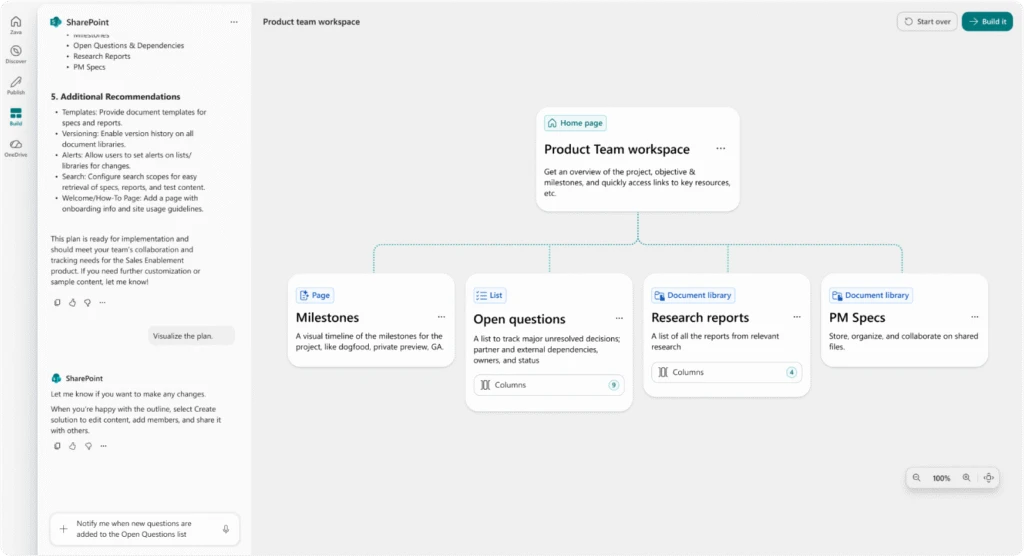
Describe what you need, and SharePoint handles the rest
Publish: Amplifying organizational knowledge
Every day, millions of authors publish critical knowledge to their intranet, ranging from leadership communications to the latest product launch, through SharePoint as their communication system of record. AI now helps amplify that foundation by enhancing expertise, extending knowledge impact, and turning individual insight into shared understanding, grounded in trusted controls and standards.
To help teams plan, create, refine, and measure content more effectively, we redesigned SharePoint’s web publishing system so AI is built-in throughout, supporting every step from creation to scale. This embedded AI is trained to deeply understand web content and SharePoint components, including the ability to assist in selecting backend models for specific web publishing tasks.
Communication becomes easier to manage centrally, while still reaching people wherever they work with engaging content. This helps organizations publish critical knowledge faster while staying aligned to standards and intent.
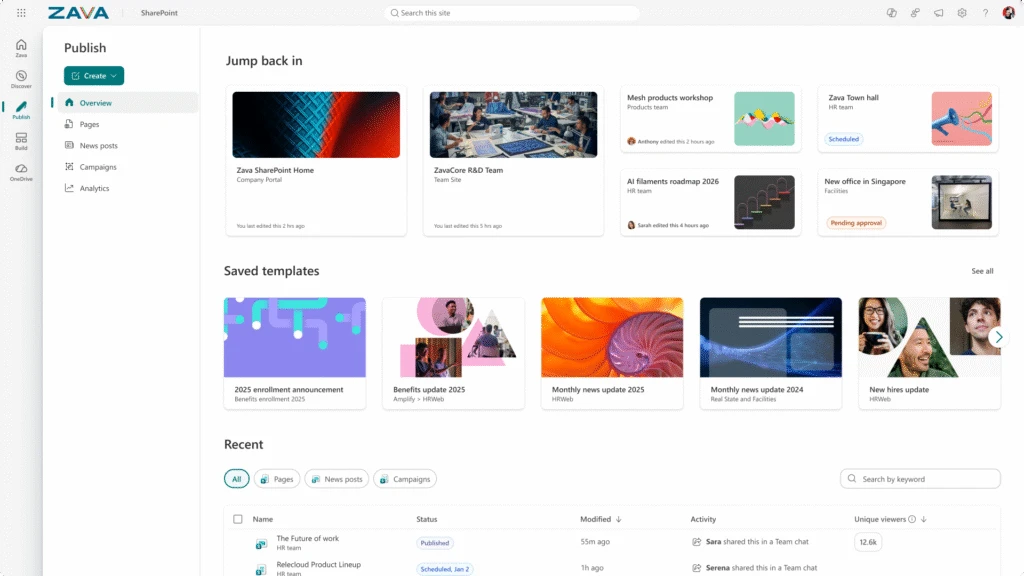
Create and publish with ease
Discover: Knowledge in the flow of work
Discovery in SharePoint no longer happens only in a search box. It happens everywhere people work, from Copilot Chat to Teams to SharePoint itself.
SharePoint content powers the semantic foundation of Microsoft 365, enabling Copilot and agents to reason over contextualized documents and sites with world-class retrieval and grounding. These deep investments produce industry leading semantic index and RAG architecture, which gives Copilot a more complete understanding of the content in SharePoint than any lightweight connector. This in turn enables Work IQ scenarios, transforming vast information into timely, relevant insights.
The result is proactive discovery: Copilot surfaces the right content in context, connects knowledge across Microsoft 365, and delivers answers grounded in your organization’s real work, not generic data.
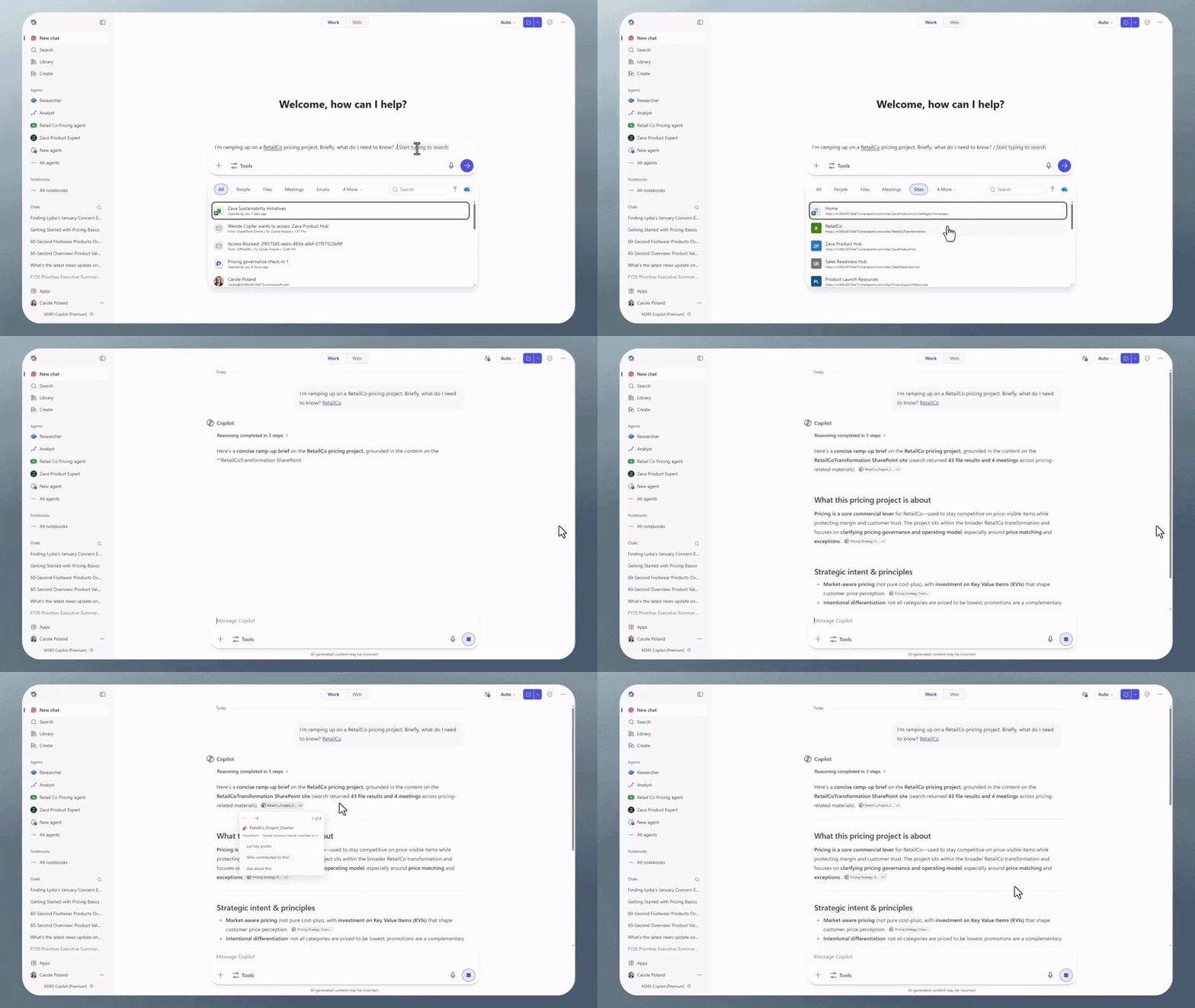
Copilot reasons over content across SharePoint and Microsoft 365
Built together for the AI-powered future
SharePoint exists because of its customers, partners, and global community. For 25 years, their trust and feedback have shaped the platform, and that partnership matters even more as we move into an AI powered future. We’re proud of what SharePoint has enabled for millions of people around the world, and even more excited about what we’ll build together next.
For details on the updates referenced above, see our Tech Community post, which includes demos of new agentic experiences in SharePoint.
Learn more about SharePoint and read SharePoint customer case studies.
Dit artikel is afkomstig van Microsoft 365 Blog.
Lees het volledige artikelGerelateerde artikelen

Introducing the new Copilot with Home, Code and Autopilot
We’re reimagining Microsoft Copilot to enable work as it evolves and to help expand what every individual and every organization can accomplish in the flow of human ambition. Today we’re introducing the new Copilot to connect the tools people rely on with the next generation of capabilities they’ll....

Building the system for AI at work
To our customers, There’s no shortage of sound and fury in AI right now. New models, record benchmarks, louder claims every week. But underneath the noise, something real has happened: AI can now do genuine, economically valuable work. The big question for you today is how to put it to work safely,....

Introducing Microsoft 365 G7: Intelligence + Trust for the mission ahead
The next evolution of Microsoft 365 for government brings productivity, AI, agents, security, identity, compliance, and governance together for organizations operating in Government Community Cloud (GCC) environments. Across government, leaders are being asked to modernize services, address evolving...